By Geek - November 2025
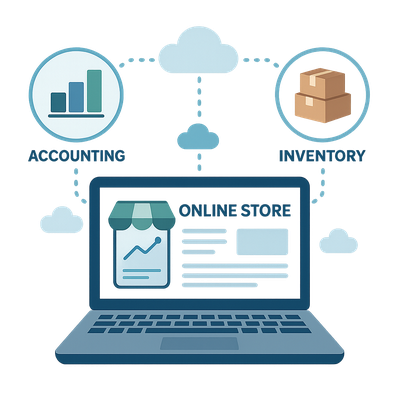
For many small and medium businesses, running an online store involves a constant flow of data between sales, inventory and accounting systems. Orders arrive daily, invoices need to be recorded, stock levels must stay accurate and payments need reconciliation. When these systems do not talk to each other, manual data entry takes over, leading to delays, mistakes and frustration. Integrating your e-commerce store with your accounting and inventory systems creates a streamlined workflow that saves time and provides real-time insight into your business performance.
Why Integration Matters
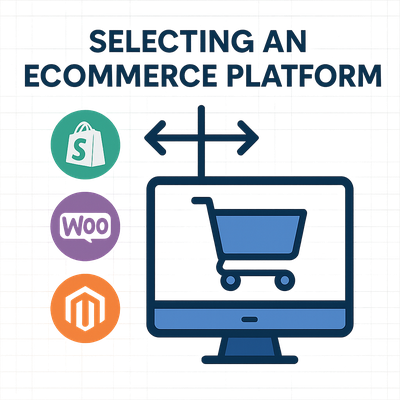
Modern e-commerce platforms such as Shopify and WooCommerce make selling online easy. However, most stores still rely on separate systems for finance and inventory control. Accounting platforms like Xero and MYOB are excellent for financial management but do not automatically synchronise with your store unless a connection is configured. Without integration, you must manually enter sales, update stock and reconcile payments. This duplication is time-consuming and prone to error.
Automation through integration means sales data, customer details, invoices and stock levels move seamlessly between systems. When a customer places an order, the accounting platform automatically records the transaction, updates revenue, adjusts inventory and flags items that need re-ordering. The result is accurate books, consistent inventory data and faster fulfilment.
Common E-commerce to Accounting Connections
The most popular combinations for small and medium businesses are:
- Shopify to Xero: Ideal for cloud-based operations with daily invoice posting, payment reconciliation and automatic tax calculation.
- Shopify to MYOB: Useful for established businesses already using MYOB for payroll and compliance.
- WooCommerce to Xero: Great for WordPress users seeking open-source flexibility with cloud accounting.
- WooCommerce to MYOB: Suited to traditional setups requiring detailed financial tracking and custom reporting.
Many of these pairings can be connected through off-the-shelf apps available in each platform’s marketplace. These extensions handle most routine synchronisation without development work, but configuration and testing remain important to ensure accuracy.
What Can Be Automated
Integration can manage almost every step of your order and finance workflow, including:
- Automatic posting of sales and payment data into your accounting platform.
- Creation of customer contact records for every new online buyer.
- Reconciliation of payment gateways such as PayPal, Afterpay or Stripe.
- Real-time updates to stock levels across multiple channels.
- Automated generation of invoices, receipts and purchase orders.
- Tracking of shipping and fulfilment costs against sales.
These processes eliminate the lag between an order being placed and it appearing in your accounts or inventory. Management can then make faster decisions on pricing, cash flow and purchasing.
Off-the-Shelf Integration Options
Both Shopify and WooCommerce offer plug-and-play connectors for Xero and MYOB. Popular examples include built-in Xero apps in Shopify’s App Store or MYOB-approved connectors that post transactions directly to your accounting file. These ready-made solutions often charge a small monthly fee but handle all updates automatically. They are suitable for most businesses that sell standard products and follow regular workflows.
Key advantages of off-the-shelf connectors include:
- Quick deployment with minimal setup time.
- Automatic updates to support new platform versions.
- Support and documentation from the app developer.
- Predictable monthly costs.
However, off-the-shelf solutions have limitations. They may not support complex pricing, multi-currency orders, or unique workflows such as split shipments or partial refunds. Businesses with advanced requirements often find that these apps only cover 80% of their needs, leaving manual work for the rest.
When Custom Integration Makes Sense
Custom integration becomes valuable when your business has non-standard workflows or specific reporting needs. Examples include multi-store operations that require consolidated financial reporting, or a warehouse system that must track serial numbers or batch codes. Custom development can map data fields precisely, ensuring that every transaction aligns with your existing accounting structure.
Custom solutions can also connect multiple platforms beyond accounting, such as logistics, CRM and analytics systems. By building a unified data flow, your business gains a single source of truth. Although initial development costs are higher, long-term savings and improved accuracy often justify the investment.
Free vs Paid Integrations
Most platforms offer both free and paid connectors. Free options may cover basic tasks such as exporting order CSVs or limited daily syncs, but they usually require manual intervention. Paid options provide continuous, real-time synchronisation, multi-currency support and dedicated customer assistance. For growing businesses, the reliability of a paid connector often outweighs the cost.
Consider your volume of transactions and the complexity of your data. If your store processes hundreds of orders per week, automation quickly pays for itself by reducing manual labour. Free tools might be adequate for micro-businesses, but established retailers usually benefit from the speed and dependability of a premium solution.
“Connect your store and accounting systems so you can focus on sales, not spreadsheets.”
Choosing the Right Integration Path
To select the best approach, start by reviewing your current systems:
- List every step from order to invoice to ensure no process is missed.
- Identify where data is duplicated or manually entered.
- Determine which metrics matter most to you — such as stock levels, profitability or tax reporting.
- Consult your accountant or bookkeeper to ensure compliance with reporting and GST requirements.
Next, evaluate available connectors in your platform’s app marketplace. Check compatibility with your version of Xero or MYOB, and verify whether support is included. Many connectors offer trial periods so you can test data flow before committing. For larger setups, speak with an integration specialist to design a workflow that suits your operations.
Common Integration Challenges
Even the best integrations need careful configuration. Common issues include mismatched tax codes, incorrect account mapping or duplicate customer records. Testing every scenario — including refunds, discounts and partial shipments — ensures data integrity. Regular reconciliation between your online store and accounting records helps identify discrepancies early.
Another challenge is maintaining performance when order volume scales. If your store grows rapidly, you may need to upgrade your connector plan or infrastructure to handle increased traffic. Reliable backups and monitoring ensure no transactions are missed during updates or outages.
Practical ROI Examples
Integration can deliver substantial time savings and cost reductions. For example, a business processing 50 orders per day might spend up to four hours manually recording transactions. Automating this process could save over 20 hours per week. The same company could reduce data-entry errors by 90%, eliminating the cost of rework and reconciliation.
Another example is improved cash flow visibility. When payments sync instantly with accounting, owners can track daily revenue and make faster purchasing or marketing decisions. Over time, these efficiencies translate into stronger profitability and more accurate financial planning.
Businesses that continue to build on these integrations gradually create a fully digital ecosystem where data moves freely between sales, logistics, finance and customer service.
Security and Data Protection
As with all cloud integrations, security should be a top priority. Choose connectors that use encryption, multi-factor authentication and secure APIs. Review permissions regularly to ensure that only authorised users can access sensitive data. Most major platforms undergo independent audits to maintain compliance with data protection standards.
How Can We Help You?
We help Australian businesses design, implement and support e-commerce integrations that save time and improve accuracy. Whether you are connecting Shopify to Xero, WooCommerce to MYOB or creating a custom workflow across multiple systems, we can plan and manage the process for you. We also provide ongoing support and training so your team can use the system confidently. Our goal is to help you build an automated foundation that grows with your business.